See your code.
Not just write it.
Architecture docs, generated by AI, for humans.
Works with your favorite AI coding tools
The problem
Vibe coding has a blind spot.
You move fast
AI writes code faster than you can think. Modules pile up. Dependencies multiply.
Architecture drifts
Nobody updated the diagram. Nobody knows what connects to what anymore.
You lose the map
Your own codebase becomes a black box. Debugging becomes guessing.
How it works
Three steps. That's it.
Setup once
Install the CLI and register Claude Code skills. It scans your project and generates structured Mermaid diagrams.
$ npm i -g oh-my-mermaid && omm setupAI keeps it fresh
Two Claude Code skills — /omm-scan and /omm-push — let AI analyze your code and write diagrams directly.
/omm-scanView and share
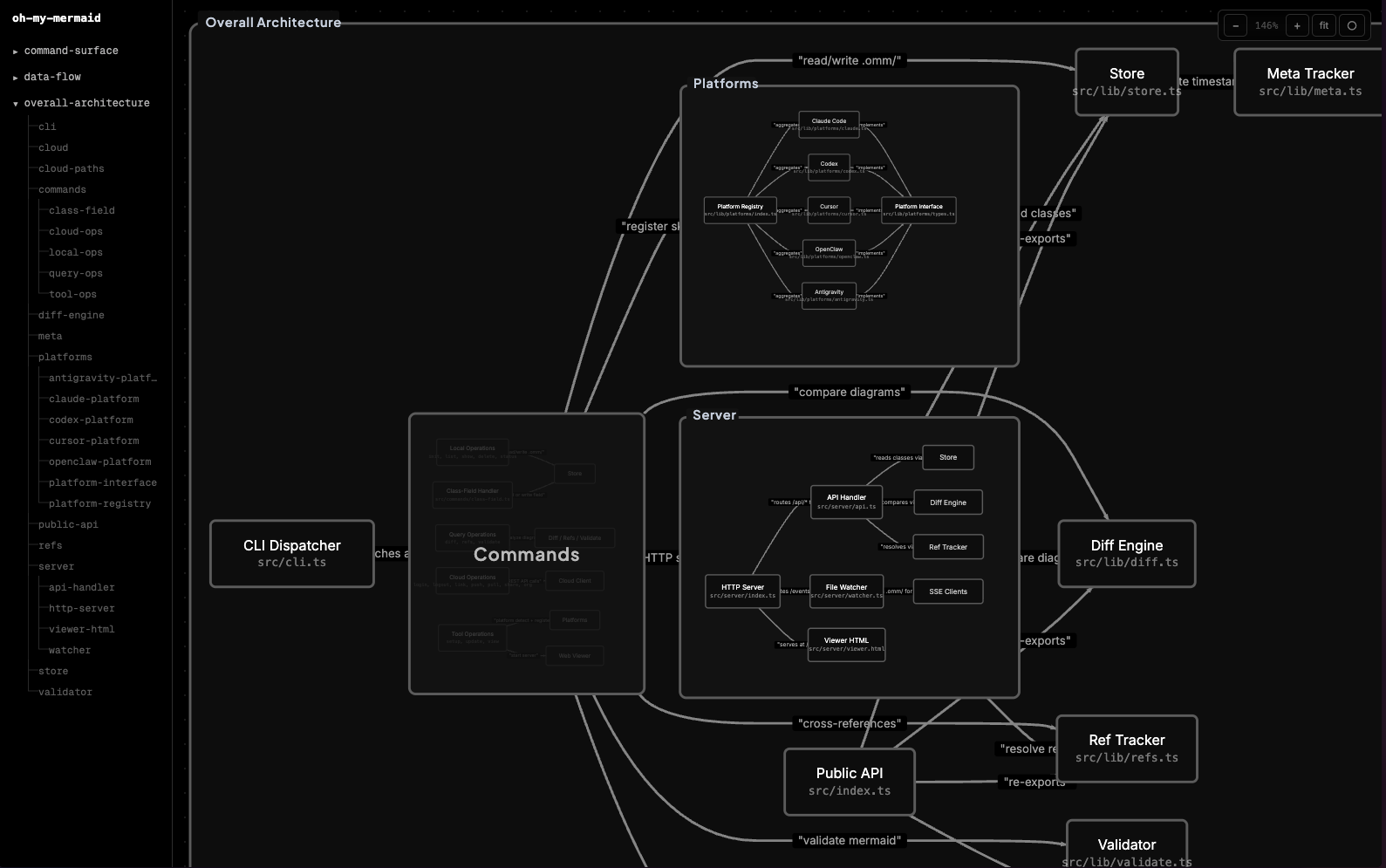
View locally or push to cloud. Share with your team via workspaces. Drill into any diagram, see diffs.
$ omm viewEverything you need to keep the map.
Living diagrams
Every diagram is plain text (.mmd). Committed to git. Diffable. Reviewable.
Cross-diagram links
Reference another diagram with @class-name. Click to drill down. Navigate with breadcrumbs.
Claude Code skills
/omm-scan and /omm-push ship as Claude Code skills. AI writes diagrams, CLI owns the files.
Cloud push & share
Push your architecture to the cloud. Share read-only links with stakeholders or embed in docs.
Team workspaces
Create organizations, invite editors, manage seats. Everyone sees the same living architecture.
Real-time viewer
File watcher + SSE means the browser updates the moment you save a diagram.
Quick start
Get started in seconds.
$ npm install -g oh-my-mermaid$ npx oh-my-mermaid setupFull command reference.
omm setupRegister skills with Claude Code and AI toolsomm listList all architecture classesomm show <class>Print all fields for a classomm diff <class>Show diagram diff from previous versionomm refs <class>Show which classes reference this oneomm viewStart the local web viewer on :3000omm pushPush .omm/ to cloudomm pullPull .omm/ from cloudomm sharePrint the shareable URLomm org listList your organizations